
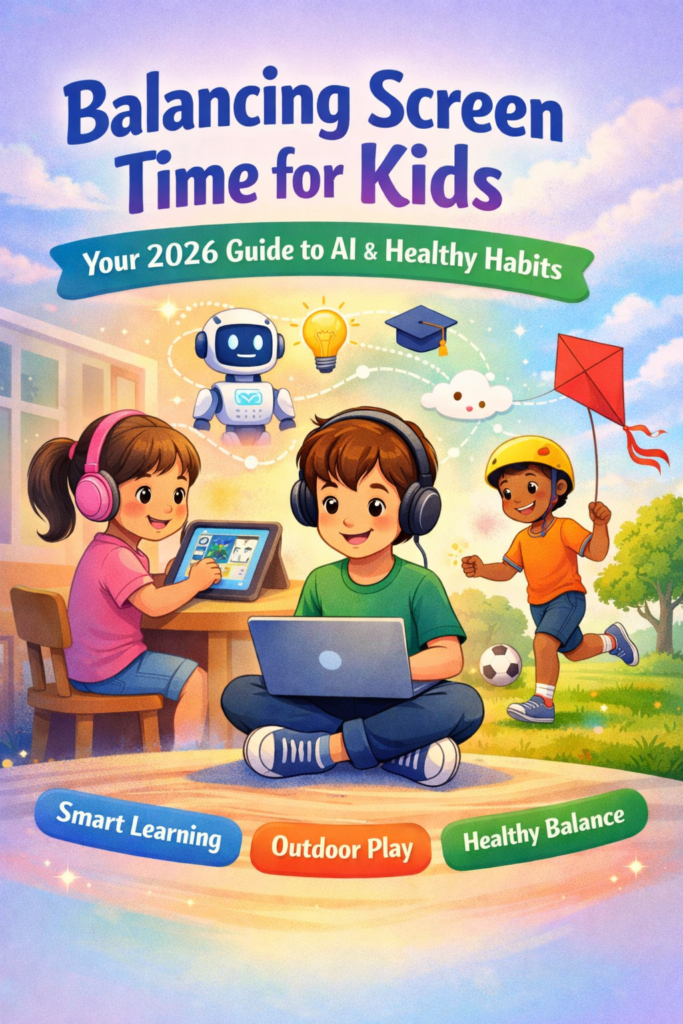
Balancing Screen Time for Kids: Guide to AI & Healthy Habits 2026
Is screen time a daily battle in your home? You are not alone. Screens are everywhere now.
The good news is that artificial intelligence (AI) can help. It offers smart tools for balance.
This guide shows you how to use AI to create healthy digital habits for your kids in 2026.
📱 The 2026 Screen Time Snapshot
Research shows excessive screen time is linked to attention problems and delayed development in young children.
But it’s not just about time. Quality and context matter most.
AI tools now help parents manage both the clock and the content.
Why Balance is Hard: The Screen Time Challenge
Screens are highly engaging for young minds. They provide constant stimulation and rewards.
For children, especially, this can make real-world activities seem less interesting.
Finding balance is tricky but essential for healthy development.
What Does Too Much Screen Time Do?
Studies connect high screen use with several concerns for kids.
These include reduced physical activity, poorer sleep quality, and challenges with attention and social skills.
Some research even suggests possible changes in brain structure related to critical thinking.
However, not all screen time is equal. Mindless scrolling is different from video calls with family.
Educational content with a parent is different from solo YouTube browsing.
The goal is to minimize the risks while allowing for the benefits.
How AI Becomes Your Digital Co-Pilot
Imagine a tool that helps enforce limits without you being the “bad guy.” That’s AI today.
AI-powered apps and built-in features act like a digital wellness coach for your family.
They provide data, automate rules, and offer insights you might miss.
Newer tools, like the Balance app, go further. They analyze a child’s language and online tone.
The AI looks for shifts that might signal stress or low mood. It then alerts parents to check in.
This turns screen monitoring into an opportunity for connection and support.
10 Powerful Expert Tips for Balanced Screen Time
Watch shows or play games with your child. It helps you understand the content and provides a bonding opportunity.
Set time limits using built-in device features. This prevents arguments and teaches kids about digital boundaries.
Choose high-quality, educational programs. For preschoolers, this is far more important than strict time limits.
Keep meals, bedrooms, and the hour before bed screen-free. This protects sleep and family conversation.
Kids imitate adults. Put your own phone away during family time to show focused attention matters.
Agree on natural endings, like finishing a level or episode. Give warnings before time is up to ease transitions.
Have a list of “offline adventures” ready. Promote sports, art, reading, and unstructured play.
Use weekly screen time reports to start conversations. Ask, “I see you enjoy this app. What do you like about it?”
These three pillars of health are easily disrupted by screens. Protect them first and foremost.
Involve everyone in creating rules. A written plan brings clarity and shared responsibility.
Smart AI Tools You Can Use Today
You don’t need to be a tech expert. Many powerful tools are free and built into your devices.
Here’s a quick guide to getting started with the most effective ones.
For Basic Limits & Scheduling:
- Apple Screen Time (Free on iPhones/iPads): Sets app limits, schedules downtime, and provides activity reports.
- Google Family Link (Free for Android): Manages screen time limits, bedtimes, and app approvals from a parent’s phone.
For Content Monitoring & Safety:
- Bark (Paid): Uses AI to scan texts and social media for signs of cyberbullying, depression, or inappropriate content.
- Balance (Paid): Analyzes a child’s language patterns and online tone to flag potential emotional struggles.
For Finding Great Content:
- Common Sense Media (Free): Offers age-based reviews for movies, games, and apps to help you choose quality content.
Special Considerations: Neurodivergent Kids & Co-Parenting
Balance looks different for every child. Some kids have unique relationships with screens.
Screens and Neurodivergent Children
For kids with autism or ADHD, screens can be a vital tool for regulation and social connection.
They offer a predictable, controlled space in an overwhelming world. The key is to observe and guide usage rather than simply restrict.
Use AI tools to ensure safety while respecting the important benefits screens may provide.
Co-Parenting and Consistent Rules
When parents live apart, consistency is key. Different rules in different homes can confuse kids.
Creating a shared “digital parenting plan” can help. Agree on basics like device-free times and approved app lists.
Using the same AI management tools (like Family Link) in both households ensures rules are followed consistently.
Frequently Asked Questions
Guidelines have shifted from strict time limits to a focus on quality and balance.
- Under 18 months: Avoid screen use except for video chatting.
- 18-24 months: If you introduce screens, choose high-quality content and watch together.
- 2-5 years: Limit to 1 hour per day of high-quality programming, with co-viewing.
- 6+ years: Place consistent limits to ensure screens don’t interfere with sleep, physical activity, or social time.
Transparency is crucial. Think of AI monitoring as a safety net, not a surveillance camera.
Explain to older kids and teens: “We’re using a tool that alerts us only if it detects signs of danger, like bullying or severe distress. We respect your privacy, but your safety is our job”.
For younger children, simple rules and device-level limits are more appropriate than message scanning.
This is a key strength of AI tools. Many allow you to categorize screen time.
You can set longer limits for educational apps or websites while keeping strict caps on social media and games.
This teaches kids that productive, creative screen use is different from passive consumption.
Yes, a major shift is happening. States like California have passed laws requiring school districts to limit smartphone use during school hours.
Policies, which must be in place by July 2026, aim to reduce distractions and support student mental health.
This creates a helpful “phone-free” period in your child’s day, making home balance easier.
Summary: Your Path to Balanced Screen Time
Balancing screen time is not about achieving perfection. It’s about mindful management.
Use AI as your ally to handle the logistics of limits and monitoring. This frees you up for what matters most: connection and guidance.
Focus on quality content, co-engagement, and protecting offline time. Remember, you are modeling a healthy relationship with technology for life.
🤝 Share This Guide
This journey is easier with support. Share this guide with fellow parents, caregivers, and teachers.
Together, we can help kids thrive both online and off.
Ready for Your AI Journey
Take the first step today. Download our free, printable Family Media Plan worksheet.
It will guide you and your kids in setting positive, realistic goals for screen use in 2026.
Explore AI Tools:- https://aitoolshere.com